The pre-launch security checklist for AI-built apps
You built it with Cursor, Claude Code, Bolt or Lovable. Before real users touch it, run the 77 controls the VibeLock platform tests, by hand, with the concrete way to check each one. Free, no catch.
What you get
- 77 controls in 13 categories, each mapped to the published OWASP ASVS 5.0, GDPR and EU AI Act requirements it satisfies, with the tier it inherits from them
- The concrete way to check every control: from your live URL, from your repository, with your own coding tool, or by cross-checking what you publish
- A profile block that tells you which controls apply to your app, and the four tiers each control inherits from what it satisfies
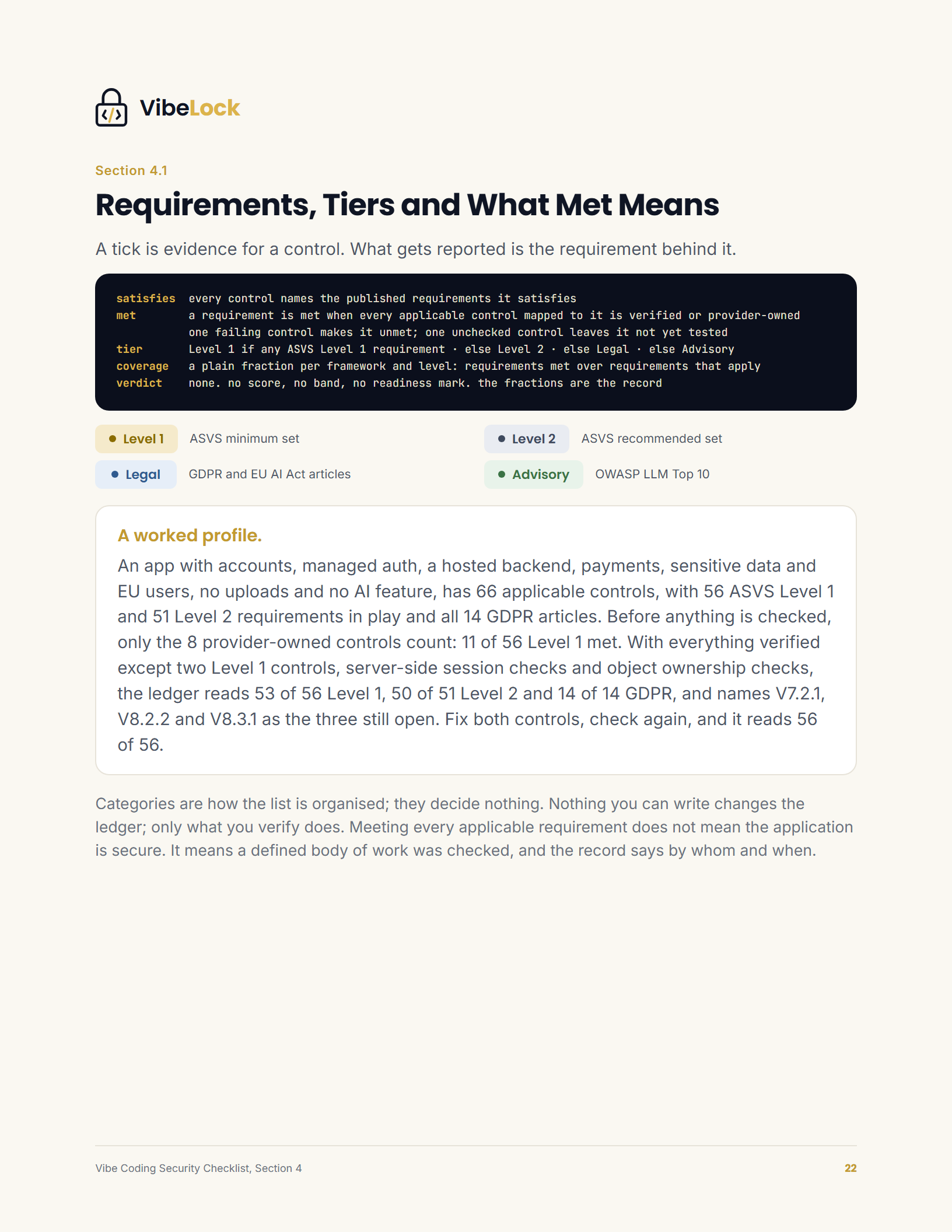
- How a requirement is met and where the requirements come from, so you can work out which ones your app meets and compare it with what the platform reports
The same control catalogue VibeLock tests in the platform, every control mapped to the OWASP ASVS 5.0, GDPR and EU AI Act requirements it satisfies. Not a list to tick. A list to run. It is a starting point, not a certification or an audit.
Ready to run it as a living system?
The Vibe Coding Security Kit turns this checklist into a Notion workspace with a verification prompt for every coding-tool control, a remediation prompt for every failing one, an evidence log, a findings queue, an incident runbook and policy templates.
See the Kit · $129 →
Get the free checklist
PDF · 77 controls · instant download
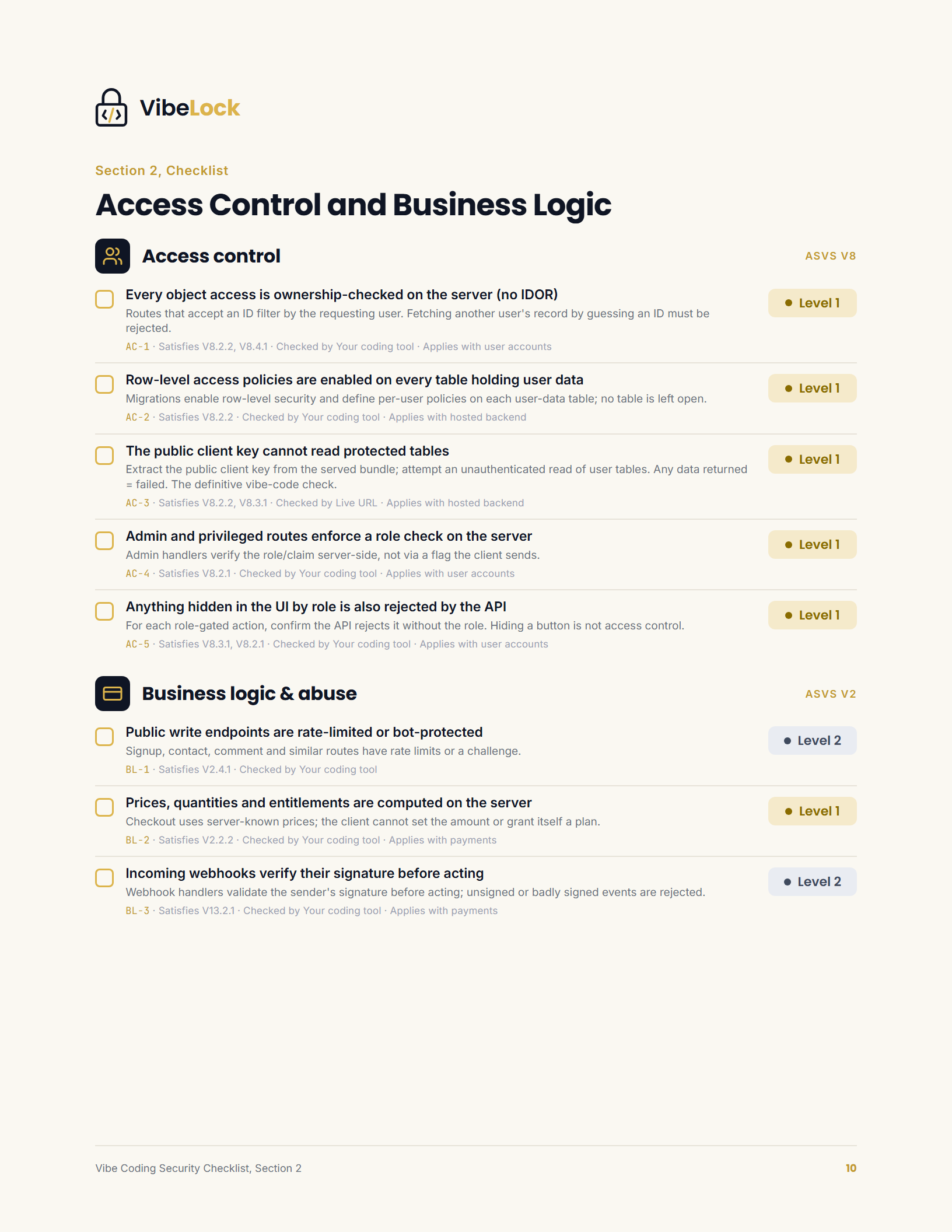
A look inside
Real pages from the checklist, not stock filler.
Frequently asked questions
Is the checklist really free?
Yes. It is a free PDF. You enter your name and email, the download starts immediately, and a copy is sent to your inbox. There is no payment step and no card required.
What does the checklist cover?
Seventy-seven application security controls in thirteen categories: authentication and sessions, access control, input and injection, secrets and cryptography, data and privacy, encryption in transit, errors and logging, business logic and abuse, files and uploads, API and web services, configuration and dependencies, AI security and transparency, and governance. Each control states what is true when it passes, the published requirements it satisfies, the tier it inherits from them, when it applies, and how to check it.
Do I need to be technical?
No. It is written for founders shipping with AI coding tools like Cursor, Claude Code, Bolt, or Lovable. Twenty controls are checked with a browser and curl against your live app, three in your repository host’s security alerts, and forty-nine by handing a verification prompt to your own coding tool with the repository open. The remaining five compare a document you publish with what you have verified.
How long does it take to run?
The live URL controls take under an hour for a first pass. The coding-tool controls take an afternoon, because each one is a prompt you run and a result you record. You work by tier: every Level 1 control first, because OWASP calls Level 1 the minimum set.
Is it specific to AI-generated code?
Yes. The controls are chosen for how AI-built apps actually fail: object access without an ownership check, row level security left off, the public client key able to read protected tables, secrets in the served bundle, webhooks accepted without a signature, debug mode in production, and a model that can be talked out of its instructions. These are the mistakes that get missed when you move fast.
How does the checklist relate to the VibeLock platform?
They are the same 77 controls with the same identifiers, the same requirement references and the same check methods. The last pages of the checklist print how a requirement is met and where the requirements come from, exactly as the platform reports them. Anything you verify by hand maps one to one onto what the platform verifies automatically.
Does this make my app secure or compliant?
No. It is an educational checklist and a starting point, not a certification, a penetration test, or legal advice. Checking every control means a defined body of work was checked and recorded. For a formal assessment, engage a qualified security professional.
How is the free checklist different from the Vibe Coding Security Kit?
The checklist is the free PDF you read and run. The Kit ($129) turns it into a Notion workspace: the same catalog with a verification prompt for every coding-tool control and a remediation prompt for every failing one, an evidence log, a findings queue, an incident runbook, app-scoped policy templates and answers to the enterprise security questionnaire. The PDF teaches you what to check; the Kit is how you run it over time.
What is it based on?
The control catalogue VibeLock tests in the platform. Every control maps to a published requirement: OWASP Application Security Verification Standard 5.0, the application-level articles of the GDPR and the EU AI Act, and the OWASP Top 10 for LLM Applications. The method behind it is published in full in the documentation.